Flux News
Your feeds. No algorithm.
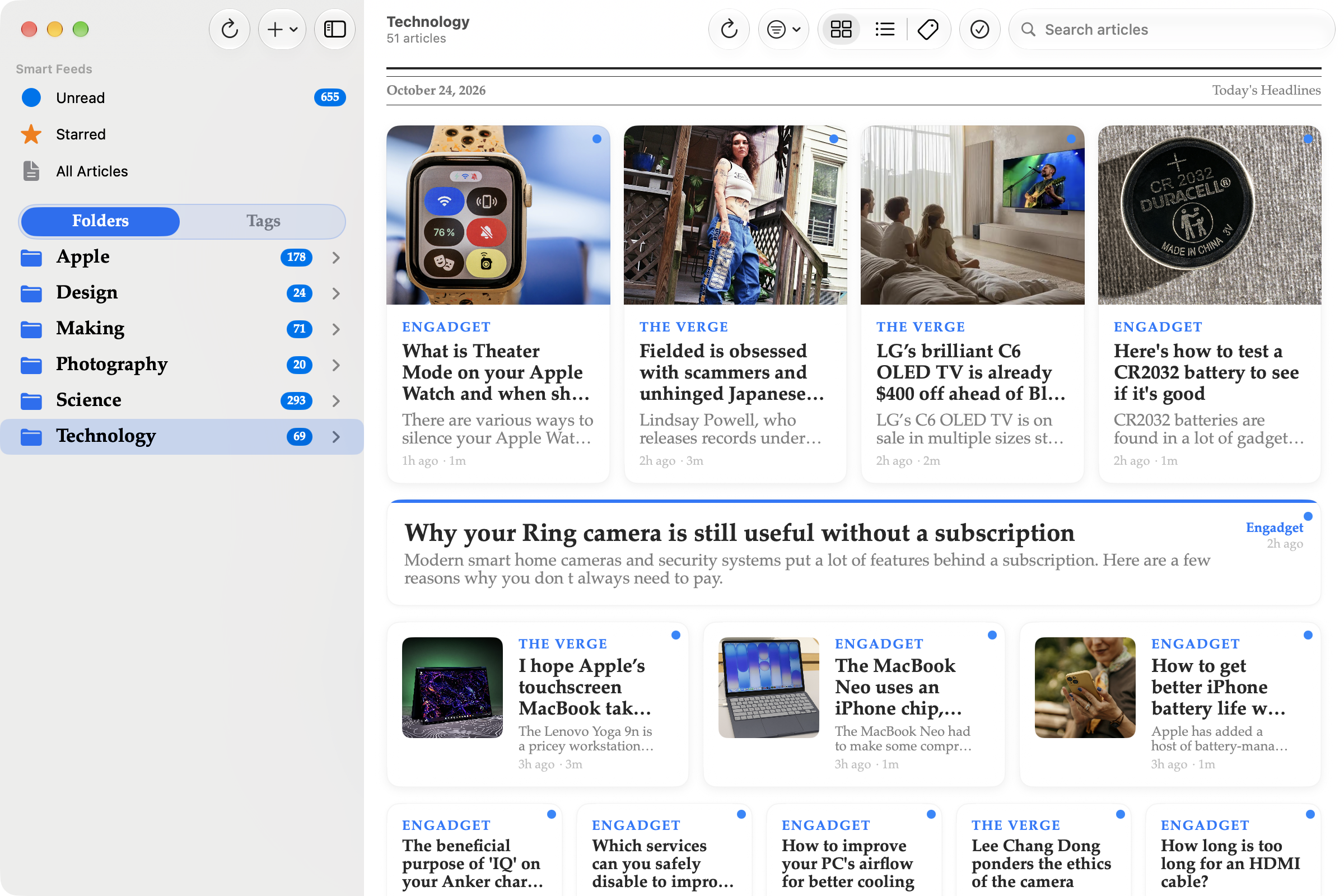
Reading, the way it used to be.
The native Miniflux reader for iPhone, iPad, and Mac — no ads, no tracking, no feed-of-the-day recommendations.
Native on every Apple device
Written entirely in SwiftUI with zero third-party dependencies — not a cross-platform port or a web wrapper. Fast on launch, fast between articles, at home on iPhone, iPad, and Mac.
A real Mac app
Designed for macOS, not stretched from iPad: a full menu bar, a native Settings window, Mac widgets, and keyboard navigation for everything — J/K to move, M to mark read, B to star, ⌘R to refresh.
Fully offline
Every article is stored on your device. Read, mark, star, and save with no connection — changes sync to Miniflux when you're back online. And it opens instantly, even before syncing.
Privacy by design
No analytics SDKs. No trackers. No telemetry. No accounts. Flux News connects only to your Miniflux server — nothing else.
On-device intelligence
Apple Intelligence tags your articles by topic — browse tags like folders — and summarises long reads. Everything runs on your device; article text never leaves it. (iOS 26 / macOS 26 on supported devices.)
Listen to articles
Read any article aloud with system voices — automatically matched to the article's language — or natural ElevenLabs voices with your own key. Background playback and lock-screen controls. Podcasts, video, and YouTube play inline.
Read your way
Newspaper, List, and Topics layouts. 10 fonts including New York, Charter, and Iowan Old Style, and 7 themes including OLED Dark and two high-contrast themes.
Folders, stars, search
Full feed and folder management, starred articles, and instant full-text search across everything on your device.
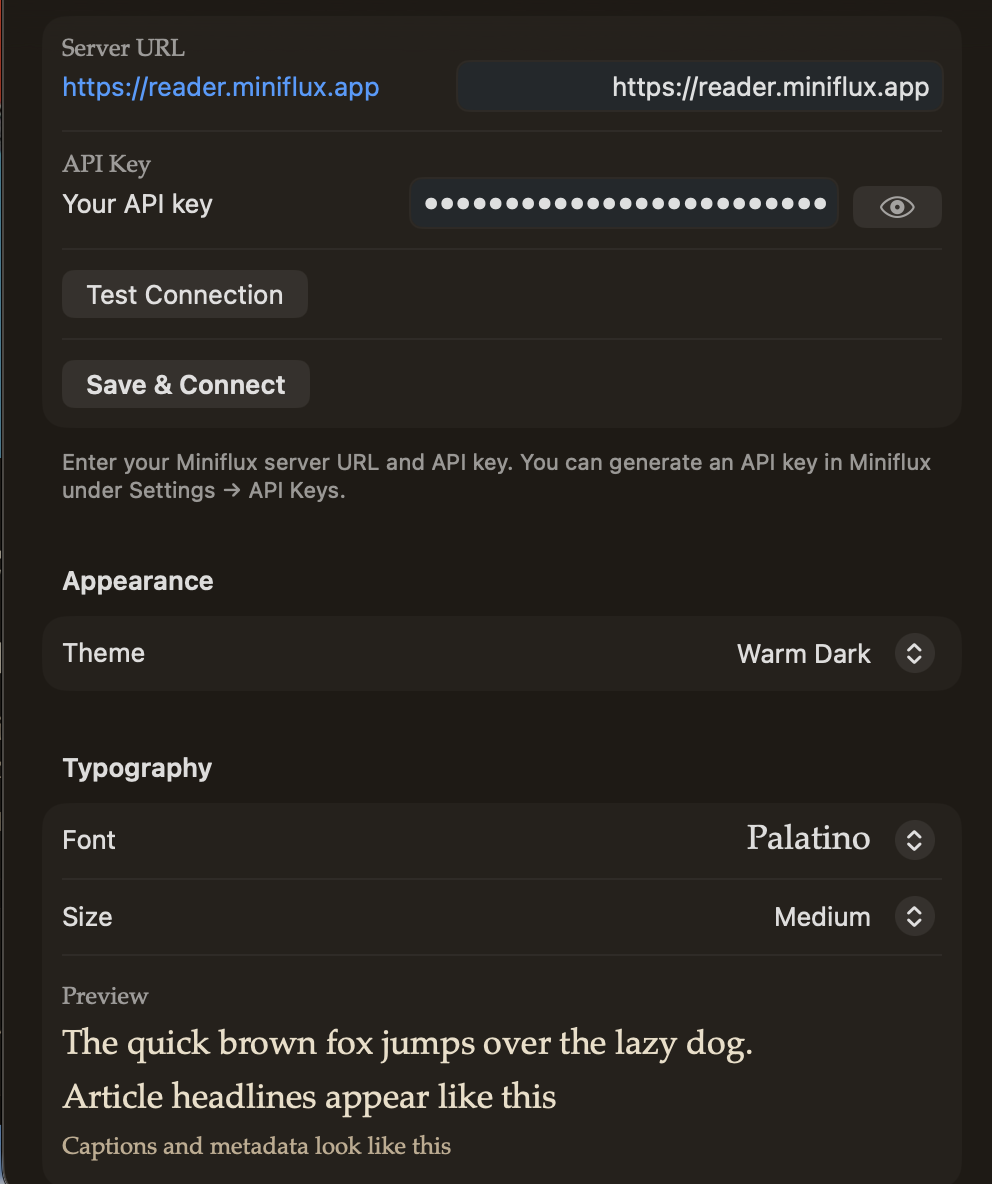
Point it at your server and you're reading.
Drop in your Miniflux URL and API token, pick a theme, and you're done. Everything — read state, stars, folders, unread counts — syncs through your Miniflux server itself. No second account. No cloud middle-man. No second source of truth.
- Connect with a Miniflux URL + API token
- Light, dark, and system-matching themes
- Per-feed, per-folder, and total unread counts
- Supports Miniflux's full-content crawler for snippet feeds
- Changes made offline queue up and sync when you reconnect
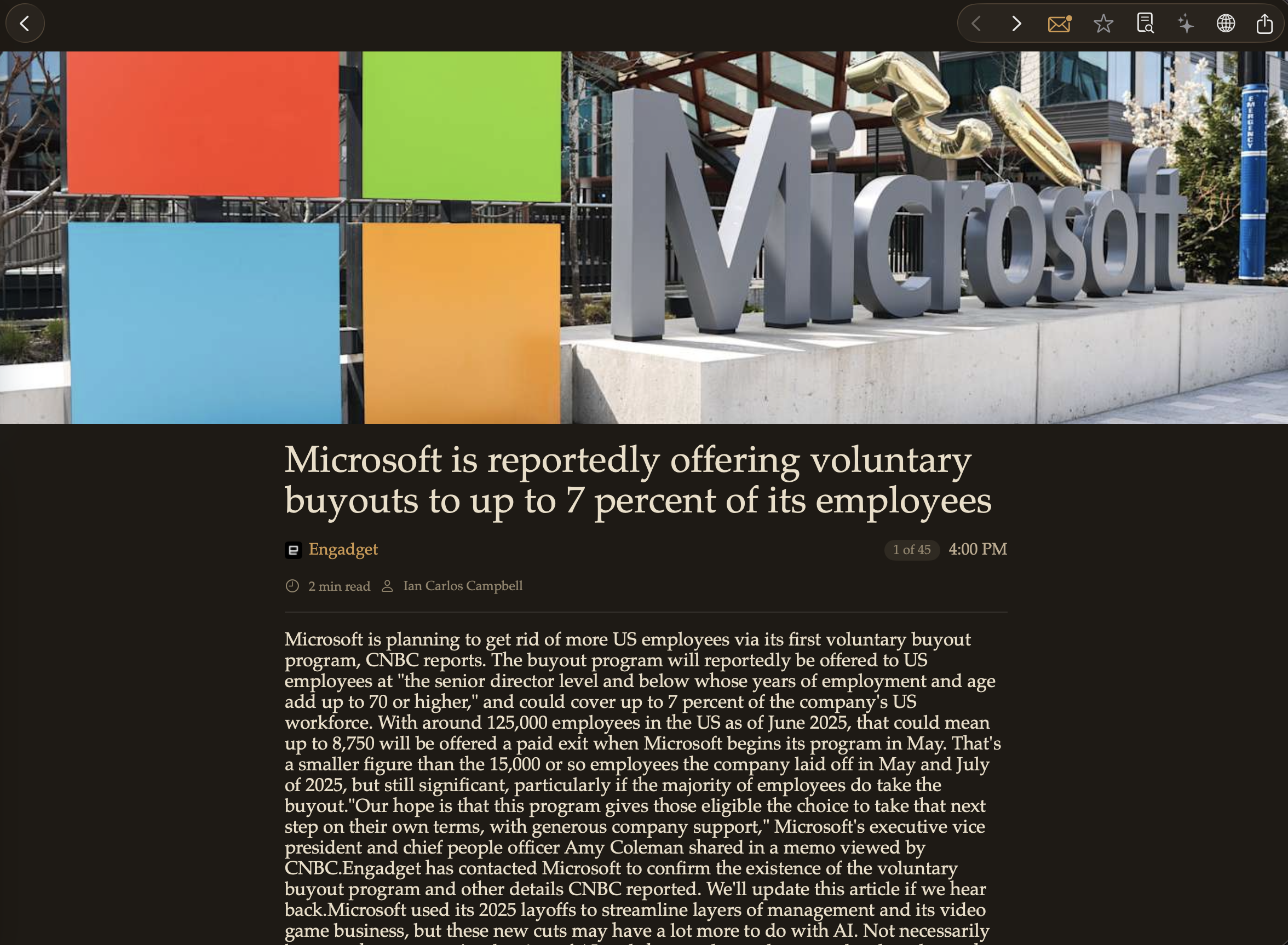
A reader view that actually reads.
Articles render in a clean, typography-first layout that adapts to your theme and text size. When a feed only ships a summary, tap through and Miniflux's crawler pulls the full article. Prefer listening? Built-in text-to-speech will read the piece aloud while you walk, drive, or do the dishes.
- Distraction-free reader with adjustable text size
- Language-aware: proper hyphenation and right-to-left layout for Arabic and Hebrew
- Full-content fetch for snippet-only feeds
- Text-to-speech with voice selection and playback controls
- Star, share, or open the original in one tap
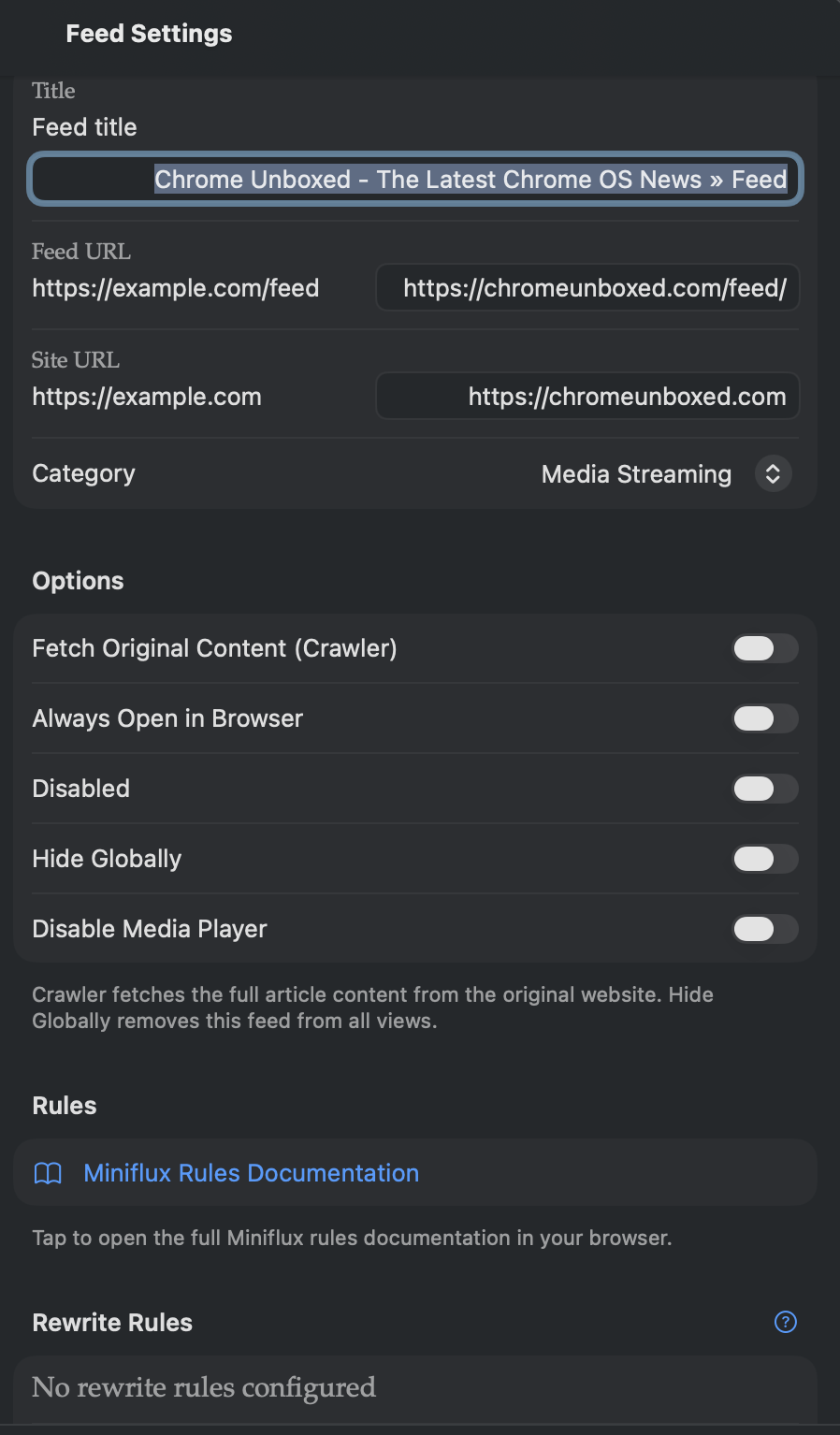
Organize once, sync everywhere.
Add feeds, arrange them into folders, tune how often each one refreshes, and mark categories read in bulk. Every change flows back through Miniflux, so your iPhone, iPad, Mac, and web UI all stay in lockstep.
- Add, rename, and delete feeds from inside the app
- Per-feed refresh intervals and crawler toggles
- Full category/folder management
- Edit each feed's Miniflux rules: scraper, rewrite, URL rewrite, and block/keep filters
- Reprocess existing articles after changing a feed's rules
- Import and export OPML
- Share extension to subscribe from Safari
Why another RSS reader?
Because the good ones keep vanishing into subscriptions, algorithms, or acquisitions — and Miniflux deserves a first-class native client on every Apple device.
Flux News is that client. No cloud account to create. No “For You” feed. No recommendations from sources you didn’t pick. Just the feeds you subscribed to, rendered quickly and cleanly, synced through the Miniflux server you already trust.
If you already run Miniflux, Flux News is a 30-second setup. If you don’t, it’s the nudge to finally own your reading experience.